Analysis of DCOM Permission Configuration in WaaSMedicSvc
Acknowledgements to k45w4ra for helping with this research
1. Executive Summary
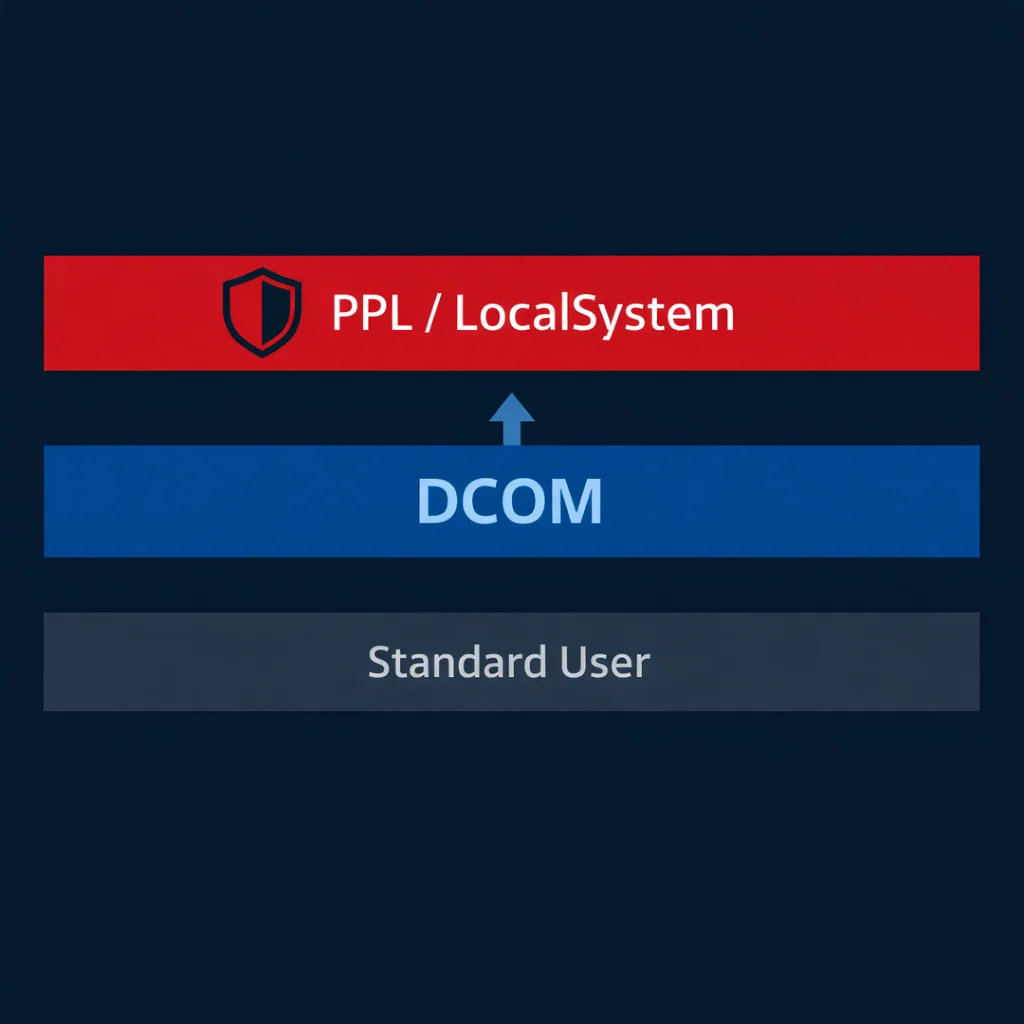
This report documents a security configuration issue in the Windows Update Medic Service (WaaSMedicSvc) where DCOM LaunchPermission grants execute rights to non-privileged users. The service runs as Protected Process Light (PPL) with LocalSystem privileges. Standard user accounts can instantiate COM objects within this protected context, representing a violation of the PPL security boundary.
2. Affected Component
| Property | Value |
|---|---|
| Service Name | WaaSMedicSvc |
| CLSID | {72566e27-1abb-4eb3-b4f0-eb431cb1cb32} |
| AppID | {2ED83BAA-B2FD-43B1-99BF-E6149C622692} |
| TypeLib | {3ff1aab8-f3d8-11d4-825d-00104b3646c0} |
| Process | svchost.exe -k wusvcs -p |
| Privilege | LocalSystem |
| Protection | PPL (LaunchProtected=2) |
3. Technical Background
3.1 Protected Process Light
PPL is a Windows security feature introduced in Windows 8.1 that restricts access to critical system processes. Processes with PPL protection cannot be opened by non-protected processes with specific access rights, preventing code injection, memory reading, and debugging. The protection level is enforced by the kernel and stored in the process object.
PPL is utilized by:
- Security-critical services (LSA with Credential Guard)
- Anti-malware solutions
- System integrity components
3.2 DCOM Security Model
Distributed COM (DCOM) extends COM to support inter-process communication across network boundaries. Security is controlled through:
- LaunchPermission: Determines who can instantiate the COM object
- AccessPermission: Determines who can communicate with running instances
Both permissions are stored as Security Descriptor Definition Language (SDDL) strings in the registry under HKLM:\SOFTWARE\Classes\AppID\{AppID}.
4. Methodology
4.1 Service Enumeration
Initial service configuration was obtained using the Service Control Manager command-line tool:
sc qc WaaSMedicSvc

SERVICE_NAME: WaaSMedicSvc
        TYPE               : 20  WIN32_SHARE_PROCESS
        START_TYPE         : 3   DEMAND_START
        ERROR_CONTROL      : 1   NORMAL
        BINARY_PATH_NAME   : C:\WINDOWS\system32\svchost.exe -k wusvcs -p
        SERVICE_START_NAME : LocalSystem
The -p parameter indicates PPL protection. Verification of the protection level:
reg query "HKLM\SYSTEM\CurrentControlSet\Services\WaaSMedicSvc" /v LaunchProtected

HKEY_LOCAL_MACHINE\SYSTEM\CurrentControlSet\Services\WaaSMedicSvc
    LaunchProtected    REG_DWORD    0x2
Value 0x2 corresponds to PP_PROTECTED.
4.2 Security Descriptor Analysis
Service ACL:
sc sdshow WaaSMedicSvc
D:(A;;CCLCSWRPLORC;;;AU)(A;;CCDCLCSWRPWPDTLOCRSDRCWDWO;;;BA)(A;;CCDCLCSWRPWPDTLOCRSDRCWDWO;;;SY)
Decoded permissions:
| Principal | Rights |
|---|---|
| AU (Authenticated Users) | Query Config, Query Status, Enumerate Dependents, Start, Stop, Pause/Resume, Interrogate |
| BA (Built-in Administrators) | Full Control |
| SY (LocalSystem) | Full Control |
Authenticated Users possess Start and Stop rights, which is atypical for a system repair service.
4.3 DCOM Permission Extraction
LaunchPermission SDDL:
O:BAG:BAD:(A;;CCDCLCSWRP;;;SY)(A;;CCDCLCSWRP;;;BA)(A;;CCDCLCSWRP;;;WD)(A;;CCDCLCSWRP;;;IU)AccessPermission SDDL:
O:BAG:BAD:(A;;CCDCLC;;;WD)(A;;CCDCLC;;;PS)(A;;CCDC;;;SY)(A;;CCDC;;;BA)The LaunchPermission grants WD (Everyone) and IU (Interactive User) rights equivalent to Full Control in the DCOM context.
4.4 COM Object Identification
Registry enumeration identified the following mapping:
HKLM\SOFTWARE\Classes\CLSID\{72566e27-1abb-4eb3-b4f0-eb431cb1cb32}
    (Default)    = WaaSRemediation
    AppID        = {2ED83BAA-B2FD-43B1-99BF-E6149C622692}
    LocalService = WaaSMedicSvc

HKLM\SOFTWARE\Classes\AppID\{2ED83BAA-B2FD-43B1-99BF-E6149C622692}
    (Default)    = WaaSMedicSvc
    LocalService = WaaSMedicSvc
The COM class WaaSRemediation executes within the WaaSMedicSvc service context.
5. Proof of Concept
5.1 Test Environment
- Operating System: Windows 11 Pro (Build 26100)
- Test Account: Standard user (non-administrative)
- Execution Context: Interactive logon
5.2 Verification Procedure
A standard user account was created for testing:
New-LocalUser -Name 'testuser' -Password (ConvertTo-SecureString 'Password123!' -AsPlainText -Force)The following C# program was compiled and executed under the testuser context:
using System;
using System.Security.Principal;

class WaaSMedicTest
{
    private static readonly Guid CLSID_WaaSRemediation =
        new Guid("72566e27-1abb-4eb3-b4f0-eb431cb1cb32");

static void Main()
    {
        WindowsIdentity identity = WindowsIdentity.GetCurrent();
        WindowsPrincipal principal = new WindowsPrincipal(identity);

Console.WriteLine($"User: {identity.Name}");
        Console.WriteLine($"Administrator: {principal.IsInRole(WindowsBuiltInRole.Administrator)}");

try
        {
            Type comType = Type.GetTypeFromCLSID(CLSID_WaaSRemediation);
            object comObject = Activator.CreateInstance(comType);

Console.WriteLine("COM object instantiated successfully");

dynamic obj = comObject;
            string result1 = obj.LaunchDetectionOnly("test");
            int result2 = obj.LaunchRemediationOnly("test", "test");

Console.WriteLine($"LaunchDetectionOnly returned: '{result1}'");
            Console.WriteLine($"LaunchRemediationOnly returned: {result2}");
        }
        catch (Exception ex)
        {
            Console.WriteLine($"Exception: {ex.GetType().Name}: {ex.Message}");
        }
    }
}
5.3 Execution Results
C:\> runas /user:testuser WaaSMedicTest.exe
Enter the password for testuser:

User: DESKTOP-XXXXXX\testuser
Administrator: False
COM object instantiated successfully
LaunchDetectionOnly returned: ''
LaunchRemediationOnly returned: 0
The testuser account successfully instantiated the COM object and executed methods within the WaaSMedicSvc service context.
6. Impact Assessment
6.1 Security Boundary Violation
PPL is designed to prevent unprivileged access to protected processes. The DCOM configuration documented herein allows standard users to:
- Instantiate COM objects within PPL-protected processes
- Execute methods in LocalSystem context
- Communicate across the PPL security boundary without elevation
6.2 Prior Research
Public research by itm4n (March 2023) documented TypeLib hijacking techniques against this same COM object to achieve arbitrary memory writes. That technique requires administrative privileges to modify registry keys.
The configuration documented in this report enables access to the same attack surface without administrative privileges, representing a distinct attack vector.
6.3 Risk Factors
| Factor | Assessment |
|---|---|
| Access Complexity | Low—no special conditions required |
| Privileges Required | None—standard user account sufficient |
| User Interaction | None—exploitation can be automated |
| Scope | Local—does not extend beyond host |
7. Additional Findings
7.1 TypeLib Analysis
String extraction from WaaSMedicPS.dll identified additional method names not exposed through the default IDispatch interface:
- InitiateUserInPlaceUpgrade
- CleanupUserInPlaceUpgrade
- IsInPlaceUpgradeInProgress
- EvaluateDeviceFeatures
These methods are defined in the TypeLib but are not accessible via the default interface exposed to callers.
7.2 Filesystem Permissions
Analysis of potential file-based attack vectors:
| Path | Writable by Users | Service Utilization |
|---|---|---|
| C:\Windows\Temp | Yes | No observed activity |
| C:\ProgramData\Microsoft\Windows\OneSettings | No | Configuration storage |
8. Remediation
8.1 Recommended Configuration Changes
LaunchPermission:
Remove WD (Everyone) and IU (Interactive User) entries. Restrict to:
O:BAG:BAD:(A;;CCDCLCSWRP;;;SY)(A;;CCDCLCSWRP;;;BA)Service ACL:
Evaluate necessity of Authenticated Users start/stop rights. If not required for operation, remove AU from service ACL.
8.2 Verification
Post-remediation verification should confirm:
- Standard users receive ACCESS_DENIED on COM instantiation attempts
- Administrative users retain access for legitimate management
- Service functionality remains intact for Windows Update repair scenarios